CE & PE Strike Charts Trade Terminal
In high-speed options trading, every second and every strike matters. The CE & PE Strike Charts Trade Terminal in Stolo is built for traders who need to watch multiple strikes simultaneously and take action instantly.
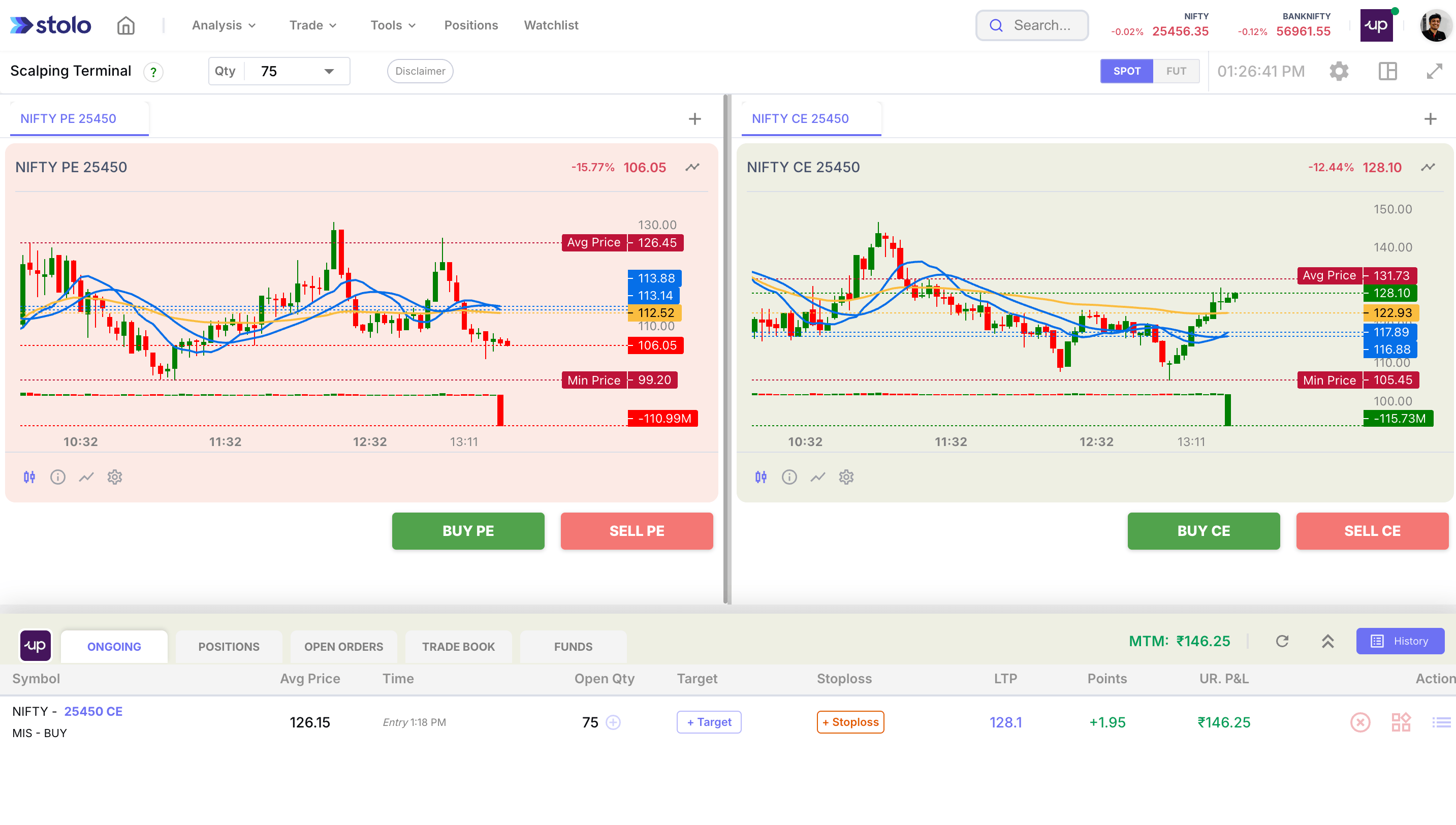
This terminal gives you dedicated mini-charts for each strike so you can track price action, volatility, and place trades directly from the same screen.
What Is This Terminal?
The CE & PE Strike Charts Terminal is a multi-chart trading interface where you watch multiple CE or multiple PE into the same layout.
Think of it as your personal strike monitoring grid, where analysis and trading come together.
Who Should Use It?
This terminal is ideal for:
- Scalpers trading 3-5 strikes actively
- Traders watching both CE and PE for breakout moves
- Spread/straddle/strangle managers needing real-time leg-level insight
- Anyone who wants to track premium flow + react instantly
Key Features
Multiple Mini-Charts
- Add up to 6 CE/PE strikes
- Each strike gets its own live premium chart
Compact Grid Layout
- Watch CE and PE moves side-by-side
- Spot divergence or reversal setups quickly
Trade from Each Chart
- Set quantity and execute directly
- Track status and position inline
Real-Time Price Action
- Near real-time chart refresh
- Useful for expiry day trades and fast scalps
How to Use the Terminal
- Select Trade from mega menu at your dashboard and choose CE & PE Strike Charts
- Select index (e.g., NIFTY, BANK NIFTY)
- Choose the CE and PE strikes you want to monitor
- Each selected strike loads as a live chart tile
- Click Buy or Sell, set quantity & execute orders instantly
Trades are routed to your connected broker and tracked live and would need your broker to be connected as a pre-requisite.
When to Use This Terminal
- On Expiry Days: Quick entries/exits across ATM and OTM strikes
- Straddle Traders: Watch CE and PE performance side-by-side
- Scalping Multiple Levels: React to volatility spikes in any leg
- Breakout Traders: Watch for premium surges in nearby strikes
Pro Tip
Use this terminal alongside
- Trending OI to pick active strikes
- Market Pulse for context
- Strategy Builder to manage payoff across open positions
This combo gives you strike-level control with big-picture clarity.
The CE& PE strike Chart Terminal is available on the Flexi Trial and Pro plans. Signup to get started