Market Alerts on Stolo
In trading, reaction time matters, but not everything deserves your attention.
That's why Market Alerts in Stolo are built to keep you informed based on conditions you set on Spot, Options or Futures
No need to stare at charts all day. Let Stolo alert you when it's time to act. This is especially built for those who are actively doing other things during market hours/ the ones who do not have time to be present in front of the screen.
Market Alerts are custom, real-time notifications triggered by changes in key market data. You set the conditions, and Stolo watches the market for you.
Pre-requisite
- You should have an account with Stolo
- Available in free plan, no subscription required
- You should have configured your notifications to receive alerts
Configure Alert Notifications
- Navigate to Tools from the main menu & choose Market Alert
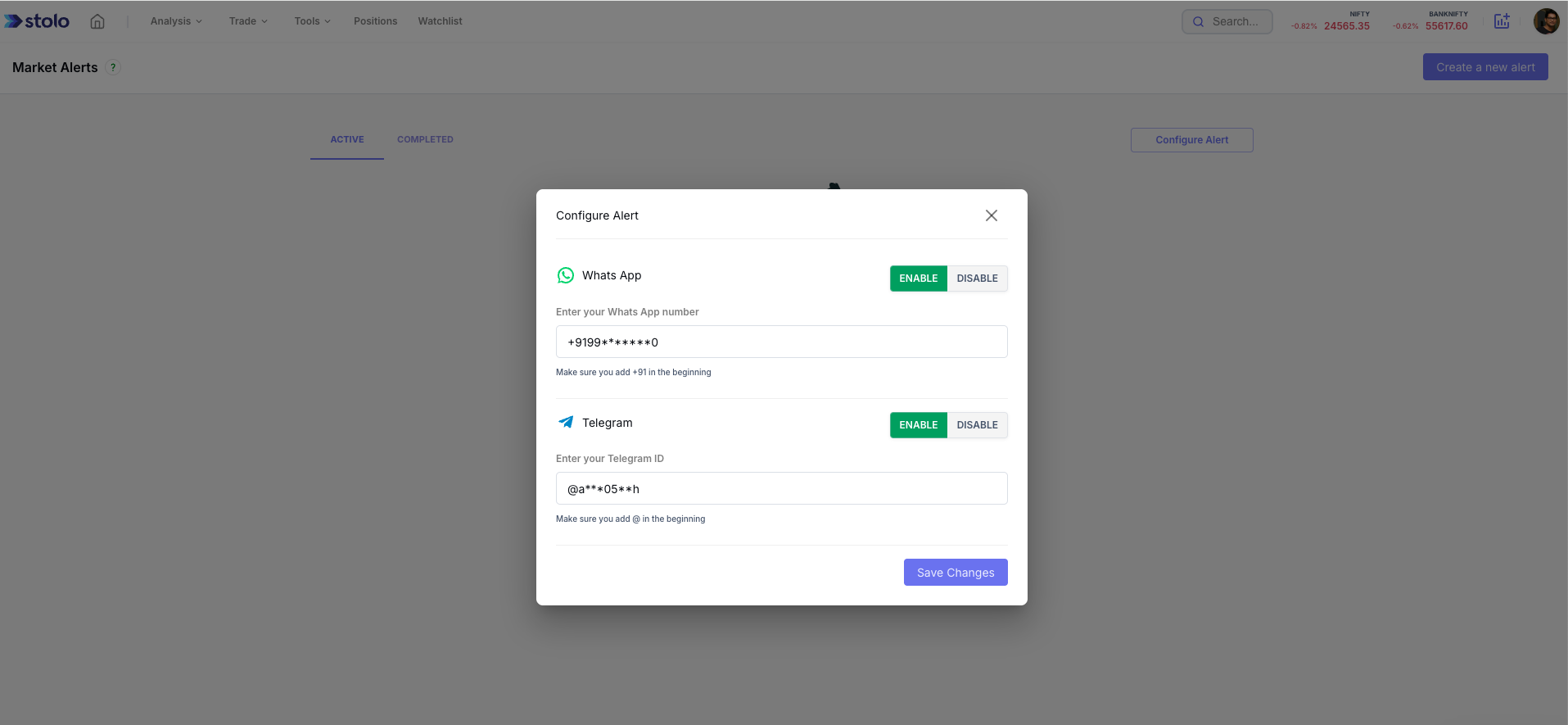
- Click on Configure alert
- Add your phone number and telegram id and ensure to select enable
- Save your configuration
Create an Alert
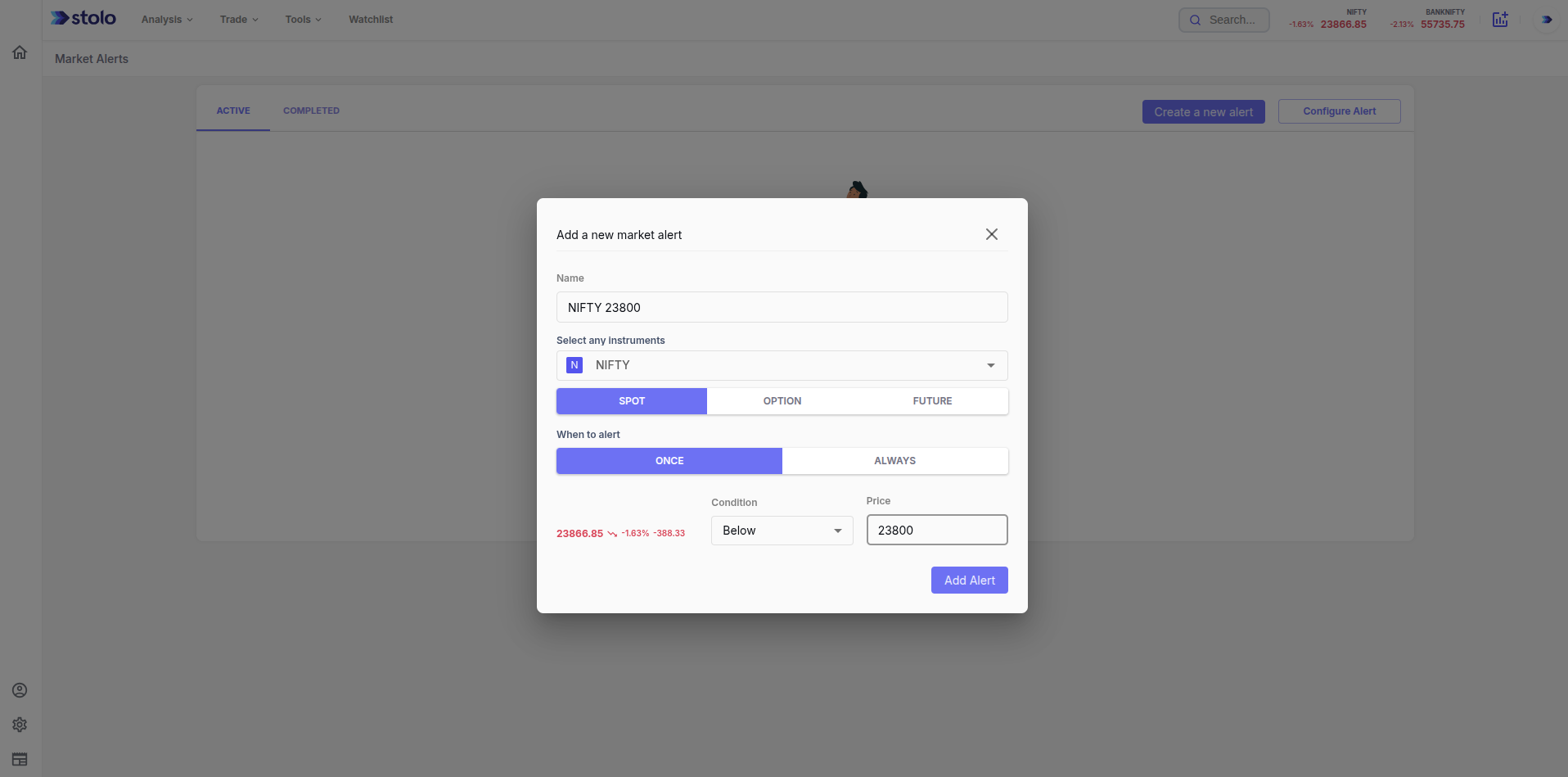
- On Market alert page, click on Create a new alert button
- On the pop-up as shown below, add all the details.
- Select frequency of alert when condition is met and hit save
- Once the condition is met, you would receive a notification on your phone and telegram based on what notification configuration you have set.
- You can have one or more alerts set that triggers based on conditions for you.
Frequently asked questions
What are Market Alerts in Stolo?
Market Alerts are custom, real-time notifications you set on spot, options or futures. You define the condition, for example a price level, a percentage move or an open interest change, and Stolo watches the market and notifies you when it triggers, so you do not have to stare at the screen.
Do I need a paid plan for Market Alerts?
No. Market Alerts are available on the free plan. You only need a Stolo account and your notification channels configured.
How do I receive the alerts?
On your phone and on Telegram. Add your phone number and Telegram ID in the alert configuration and enable them, then every triggered alert is delivered to both.
What can I set an alert on?
Spot price, futures price, option premium, and key derived values such as open interest and its change. You set the instrument, the condition and the frequency.
Can I have more than one alert active?
Yes. You can set as many alerts as you need, each with its own instrument and condition, and manage them from the Market Alerts page.
How is an alert different from a screener?
A screener is a pull tool you open to scan the market on demand. An alert is a push tool: set the condition once and Stolo tells you when it fires. Traders often build a shortlist with a screener, then set alerts on those names.
Can I control how often an alert notifies me?
Yes. When you create an alert you choose the frequency for when the condition is met, so a repeatedly satisfied condition does not spam you.
Why am I not receiving alerts?
Check that your phone number and Telegram ID are added and enabled in the alert configuration, and that the alert itself is active. An unconfigured notification channel is the most common cause.