Trade Journal in Stolo

Successful trading isn't only about making the right entries, it's about learning from bad ones too. That's where the Trade Journal in Stolo comes in. Whether you're an active options scalper or a strategy-based trader, the journal gives you the visibility needed to build consistency and discipline. Most importantly, a space to reflect all within the same place where you took trades.

No more scattered notes or Excel files. Review your trades directly within the platform where you made them.

What Is the Trade Journal?​

The Trade Journal is a personal dashboard that automatically records:

  • Each trade you execute through Stolo
  • Entry and exit time
  • Trade type (CE/PE/Futures)
  • Price, quantity, and instrument
  • P&L and MTM at the time of close
  • Greeks snapshot (Delta, Theta, Vega, Gamma)
  • Payoff view if placed via Strategy Builder

You can also manually add notes, such as what your thesis was, why you entered, and how you felt before/after the trade. It's a space to be honest with your trades so you can get better with every session.

Why Use a Trade Journal?​

  • See patterns in your winning and losing trades
  • Understand if your losses come from strategy, execution, or emotion
  • Build data around your personal trading behavior
  • Improve decision-making by reflecting on past setups

How to Access It​

  1. Go to the "Trade Journal via Tools in main menu" section from your dashboard
  2. You would see list of trades taken by you for the date filter you have set on the screen
    • The chart represents profit/loss made
    • The list represents individual trades for you to reflect on each.
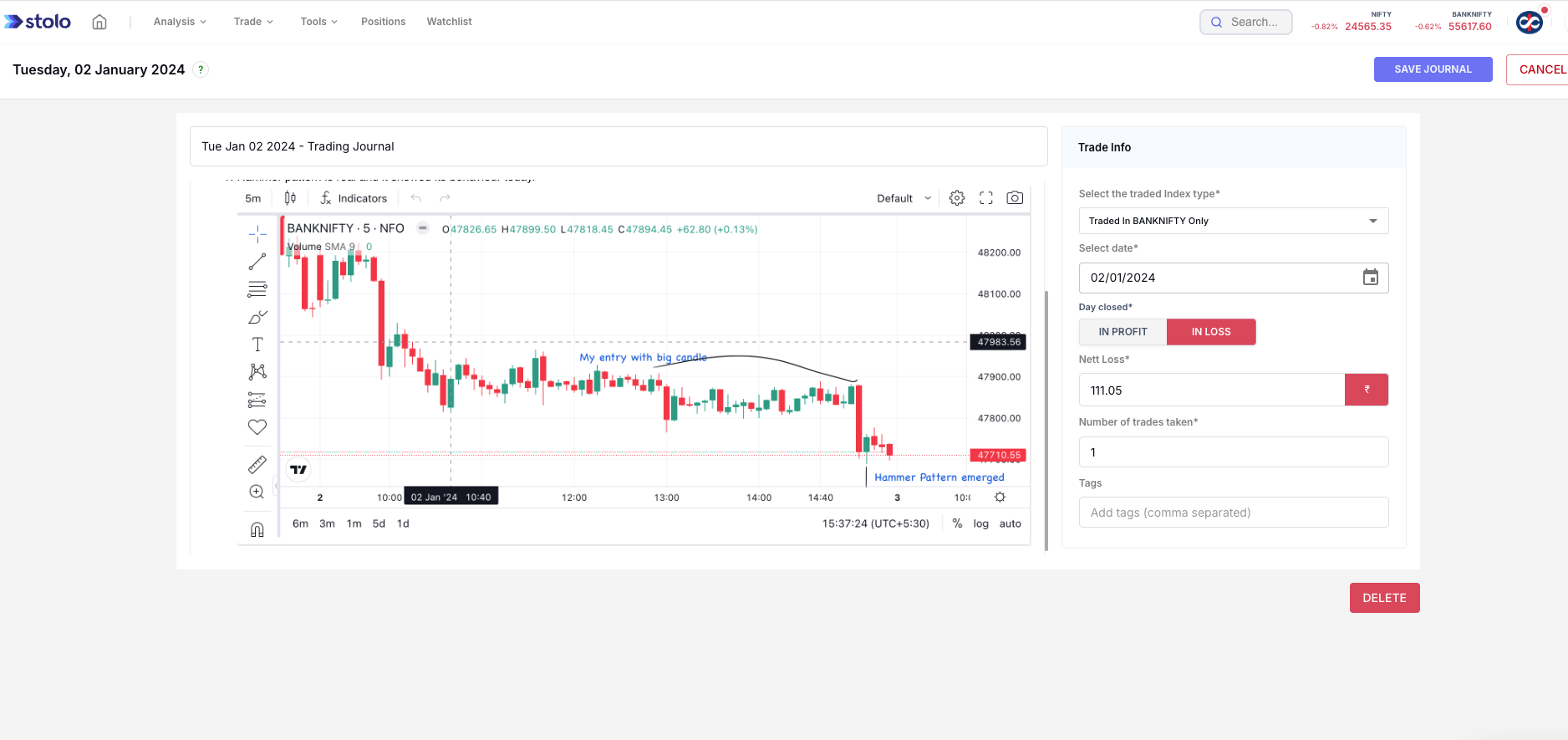
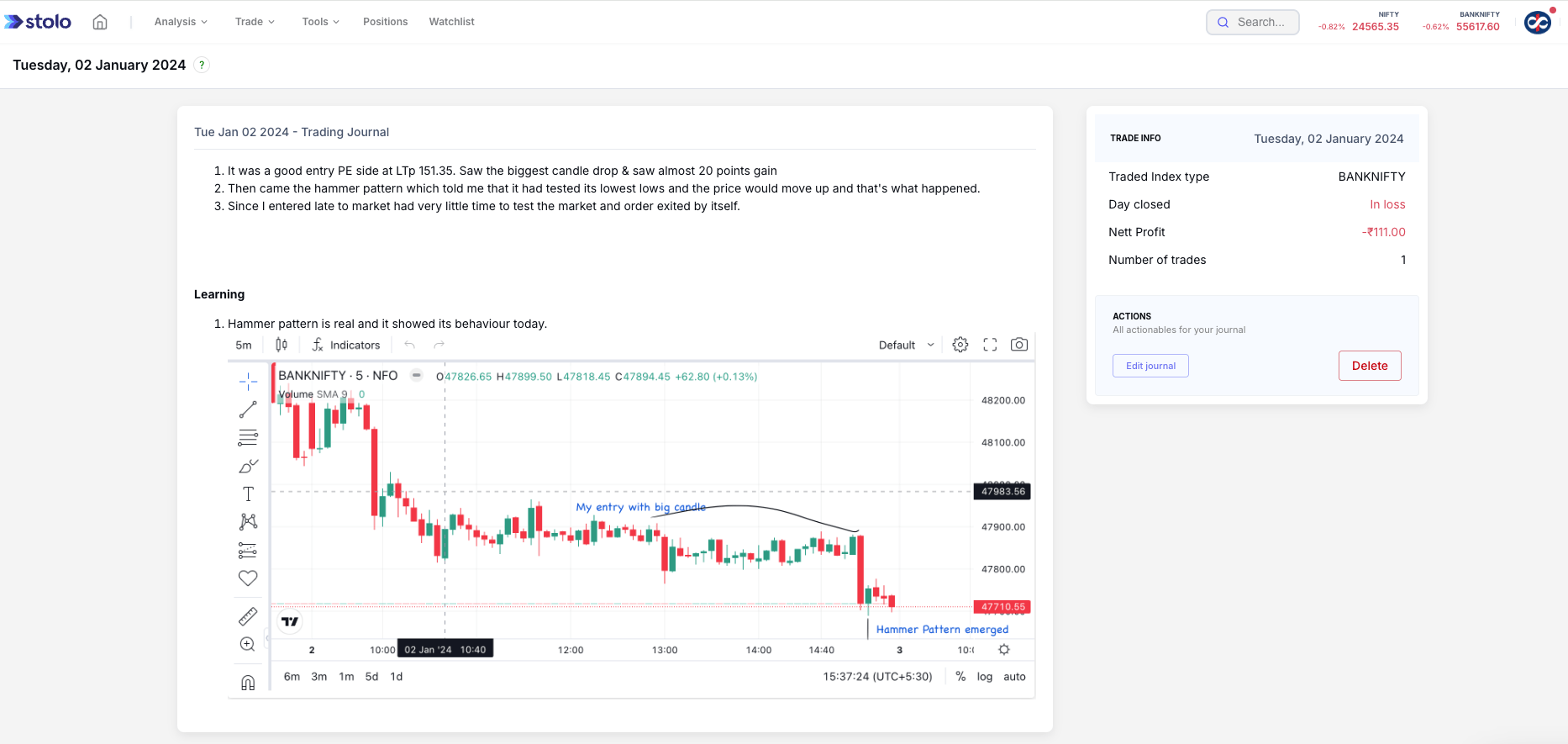
    • Click on any trade to open its full breakdown to see attached reflection on it.
    • You can click on Edit Journal to edit or update your reflections

All trades placed via connected brokers through Stolo get logged automatically.
Stolo Journal Edit

Frequently asked questions​

What is the Trade Journal in Stolo?
It is a personal dashboard that automatically records every trade you place through a connected broker: entry and exit time, instrument, price, quantity, P&L, MTM at close, a Greeks snapshot, and the payoff view if it was placed via the Strategy Builder. You can add notes on your thesis and how you felt.
Do I have to log trades manually?
No. Trades placed through connected brokers are logged automatically. You only add the reflective notes: why you entered, what your plan was, how you managed it.
Why keep a trading journal?
To find the patterns in your winning and losing trades, to tell whether losses come from strategy, execution or emotion, and to build data on your own behaviour so your decisions improve session over session.
What can I write in a journal entry?
Anything that helps you reflect: your market view at entry, the setup, your emotional state, what you would do differently. Click a trade to open its full breakdown and use Edit Journal to add or update your notes.
Can I filter the journal by date?
Yes. Set a date filter to see the trades for a period, with a chart of the profit and loss and the list of individual trades to review.
Does it show the Greeks and payoff?
Yes. Each logged trade carries a Greeks snapshot (delta, gamma, theta, vega) at the time, and if the trade came from the Strategy Builder its payoff view is attached.
How is the Trade Journal different from Trade Analysis?
Trade Analysis is the quantitative performance breakdown: stats, timelines, contribution. The Trade Journal adds the qualitative layer, your own written reflection attached to each trade. Use them together.
Which plan do I need for the Trade Journal?
Trades are logged for connected-broker accounts. See the subscription plans page for current pricing.