Futures Overview: OI, Basis and Price in One View
The Futures Overview in Stolo is a single screen that stacks the future versus spot basis chart and the futures open interest chart for one instrument, with price and volume alongside. Instead of opening two pages to judge whether a futures move has conviction behind it, you get both reads on one customizable board.
The problem it solves
To trust a futures move you need two things at once: is open interest confirming it, and is the premium to spot widening or shrinking. Flipping between the OI page and the basis page loses the comparison. The Futures Overview puts them together so the agreement or disagreement between the two is obvious.
What is on the board
| Panel | What it tells you |
|---|---|
| Future vs spot | The basis over time: whether the future is at a premium or discount to the cash price, and which way that is heading. |
| Futures OI analysis | Open interest change against price, with long buildup, short buildup, unwinding and covering labelled. |
The board is customizable: add more futures and options widgets, drag to reorder, resize, and reset to this default.
Key terms explained
| Term | What it means |
|---|---|
| Basis | The gap between the futures price and the spot price. |
| Premium | The future trading above spot. Normal. |
| Discount | The future trading below spot. A stress signal. |
| Change in OI | How futures open interest moved over the period. |
| Buildup | The price and OI combination: long buildup, short buildup, unwinding, covering. |
| Panel | One analysis widget on the overview board. |
A worked example
You open BANKNIFTY's Futures Overview mid-morning. Price is up 0.9 percent.
- Futures OI analysis: OI has been rising steadily with price. Long buildup.
- Future vs spot: the premium has widened from 60 points at the open to 110 points now.
Both panels agree: fresh longs are building and paying up to hold the position. A trader treats the BANKNIFTY move as high conviction and trades with it. Had the OI panel shown OI falling while price rose, the same rally would read as short covering and be far less reliable.
How to use it in Stolo
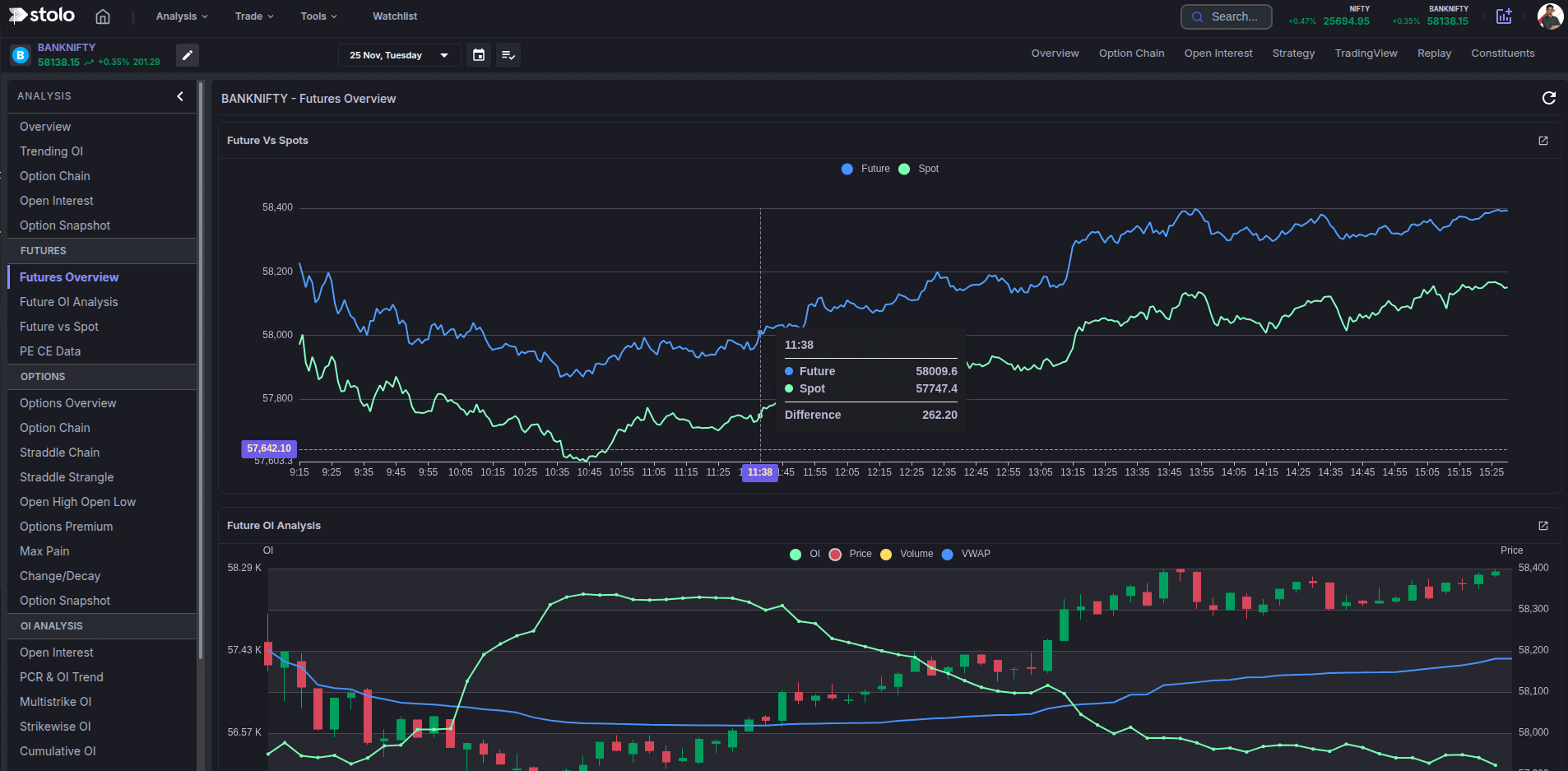
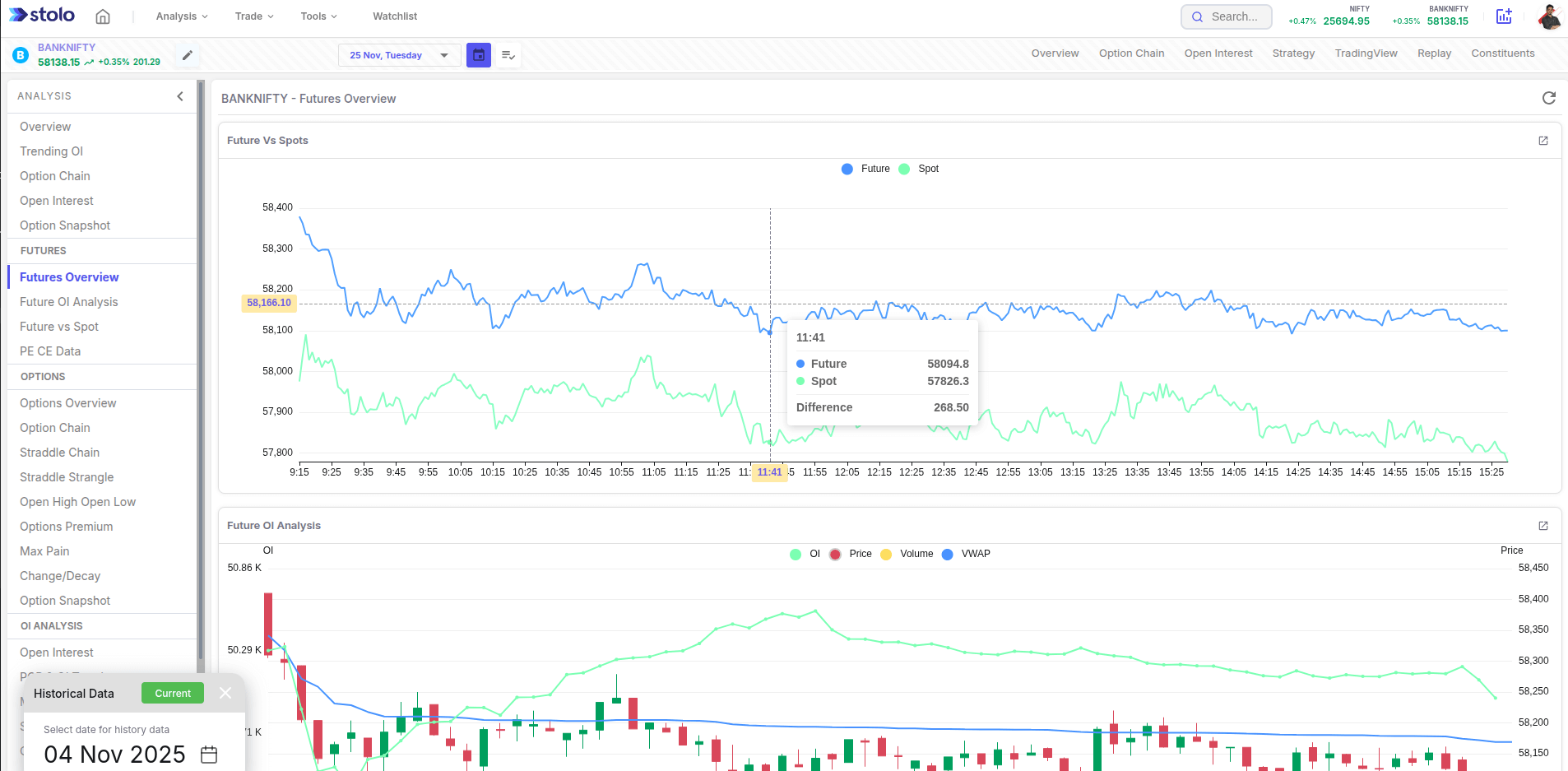
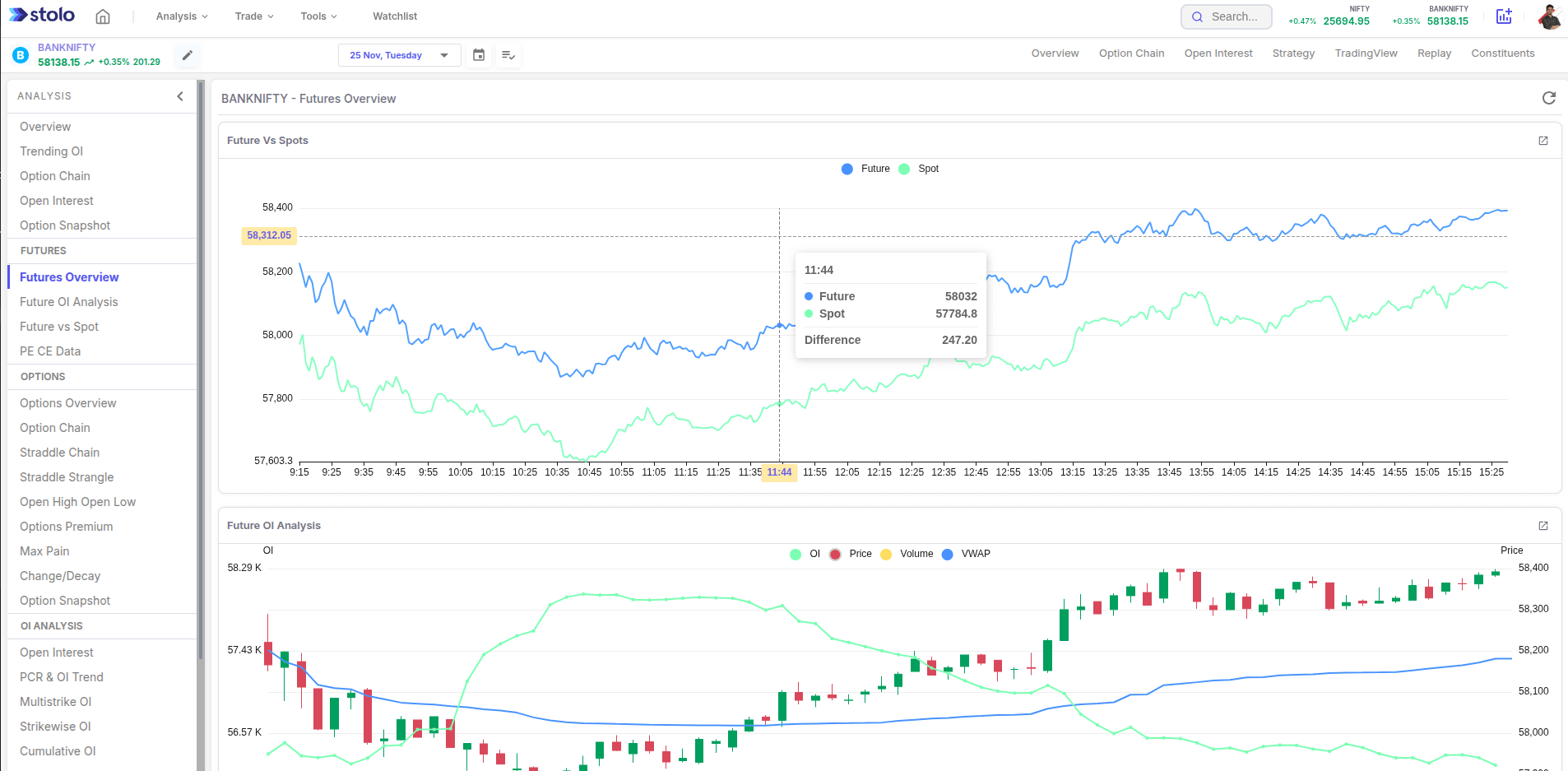
- Log in to Stolo and open an F&O instrument from Analysis, then open Futures Overview.
- Read the futures OI panel against price: fresh positioning or a squeeze.
- Read the future vs spot panel: a widening premium confirms, a shrinking one warns.
- Use customize to add the widgets you always want and reorder the board.
- Click any panel to open its full page for the time-interval control and history.
The Futures Overview is for research. Stolo does not auto-trade. Form your view here, then execute through a trade terminal, the option chain or your connected broker.
How traders use it
- Move validation. Only back a futures breakout when OI and the basis both confirm it.
- Squeeze detection. OI falling while price rises, with the premium shrinking, is short covering to fade.
- Pre-expiry positioning. Watch the OI and basis together into expiry to read how the roll is going.
- Fast context. A ten-second read before a directional options trade to confirm the futures market is not positioned against you.
Live mode and history mode
The board streams live during market hours with a header refresh. Each panel supports a historical date from its own full page.
Frequently asked questions
What is the Futures Overview page in Stolo?
What is on the Futures Overview by default?
Can I customize which panels appear?
Which instruments have a Futures Overview?
How is this different from the Instrument Overview page?
Does the Futures Overview update live?
Can I open a panel full size?
What order should I read the panels in?
Is my board layout saved across devices?
What plan do I need for the Futures Overview?
Read the futures bias on one screen
Open Stolo's Futures Overview for the OI buildup and the future versus spot basis of any F&O instrument together.
Start with a Flexi Trial from ₹199