Historical Bars: OHLC Data for Spot, Futures and Options
Studying a setup properly means checking it against how instruments actually behaved, not against memory or one recent example. Historical Bars in Stolo gives you up to three years of OHLC data for spot indices and stocks, futures contracts and individual option strikes, ready to read, export and analyse.
The problem it solves
Broker charts are thin on option history, drop expired contracts and have gaps. To test whether a straddle sell works, you need the premium of a strike that was at the money months ago on a contract that no longer trades. That data is hard to get anywhere. Historical Bars keeps it addressable, for the whole F&O universe.
What you can pull
- Spot bars for the indices and F&O stocks.
- Futures bars for the monthly contracts.
- Option strike bars, the OHLC of a specific call or put on a past expiry.
- Intraday minute bars for recent history and daily bars for the full range.
- Export to a table for your own analysis.
Key terms explained
| Term | What it means |
|---|---|
| OHLC | Open, high, low, close: the four prices that form a bar. |
| Bar / candle | One period of price data. |
| Timeframe | The length each bar covers: minute, 5-minute, daily. |
| Expired contract | A futures or option contract past its settlement, whose history most tools drop. |
| Coverage | How far back a given instrument and timeframe are available. |
A worked example
You want to test a rule: sell the NIFTY weekly ATM straddle at 9:20 and buy it back at 15:15, with a stop at 30 percent.
- In Historical Bars, pull the daily and minute bars for the strike that was ATM on each of the last 20 weekly expiries.
- Export the entry premium at 9:20, the intraday high (for the stop), and the 15:15 premium for each.
- In a sheet, compute the result per day with the stop rule applied.
You get a 20-session sample of how the rule actually performed, including the two days a trending move hit the stop, which is a far more honest picture than remembering the good weeks.
How to use it in Stolo
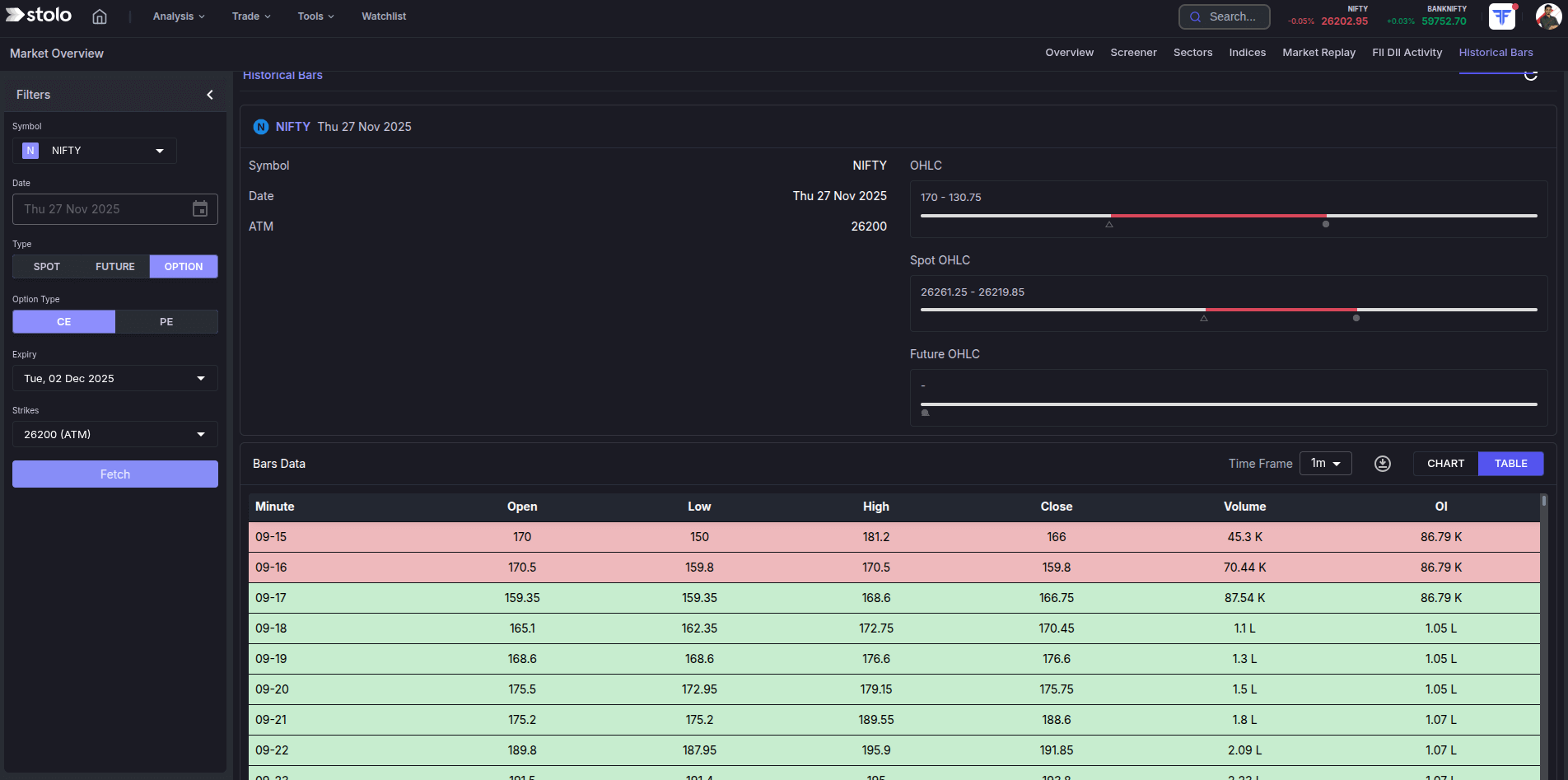
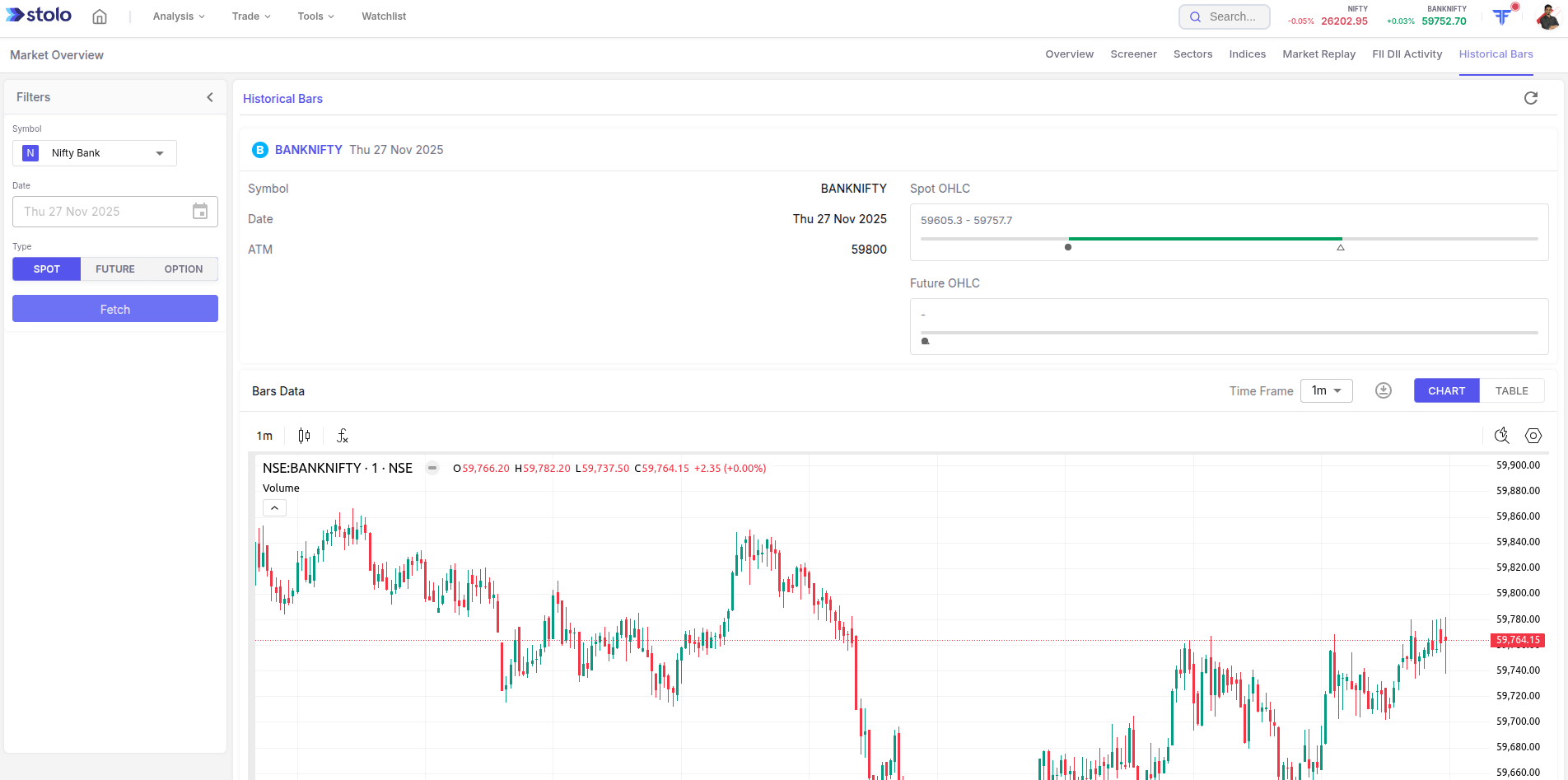
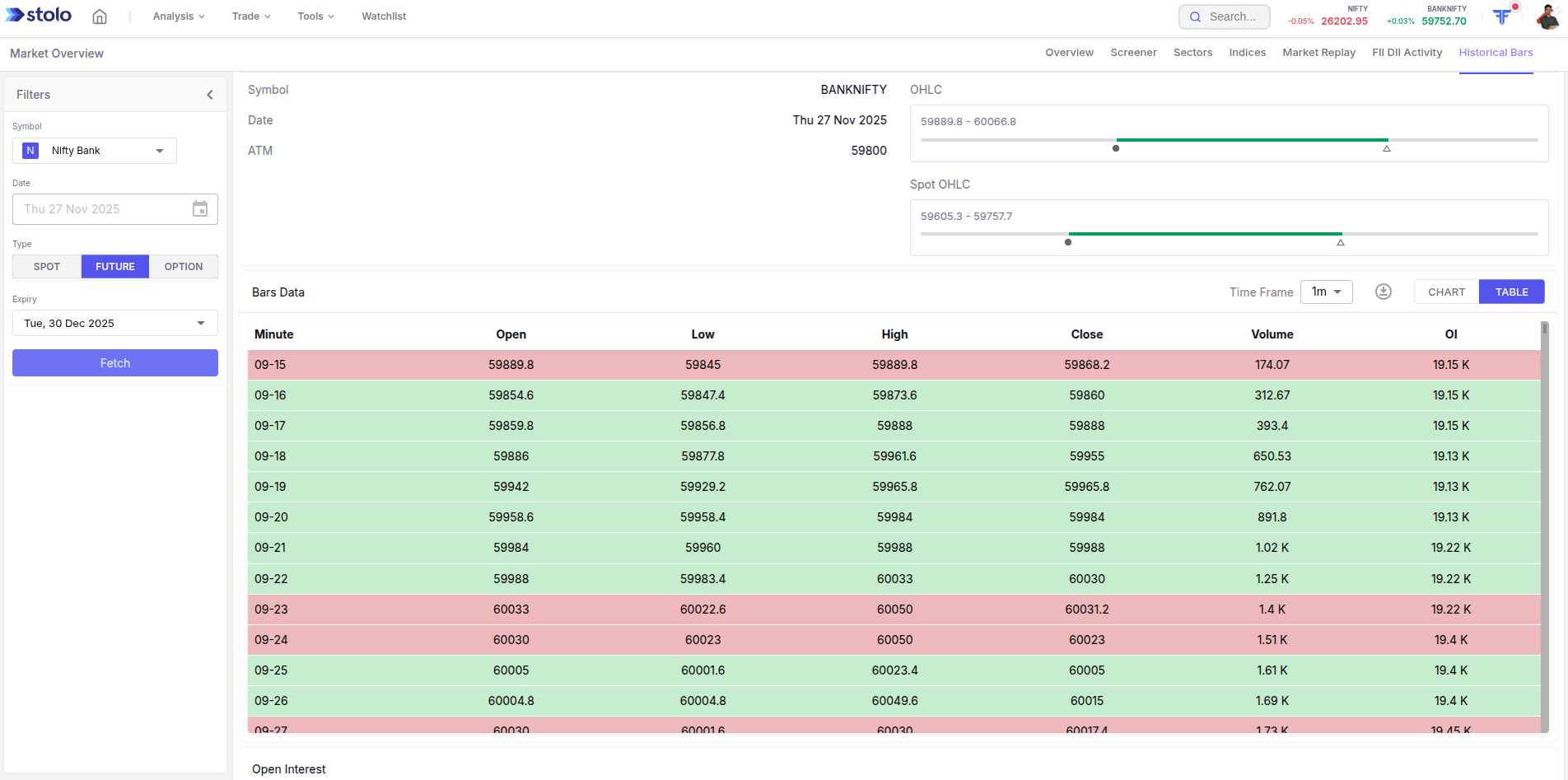
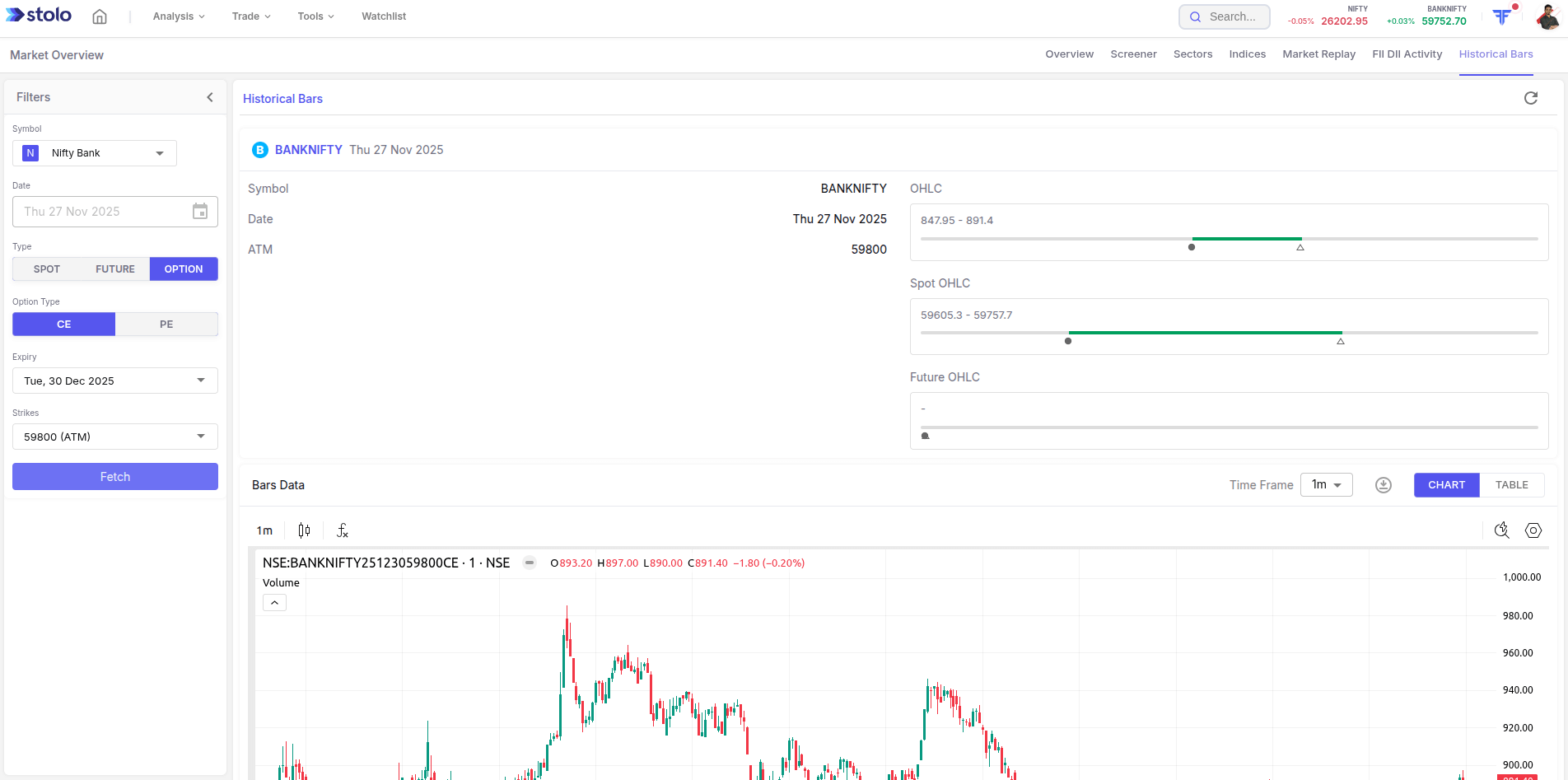
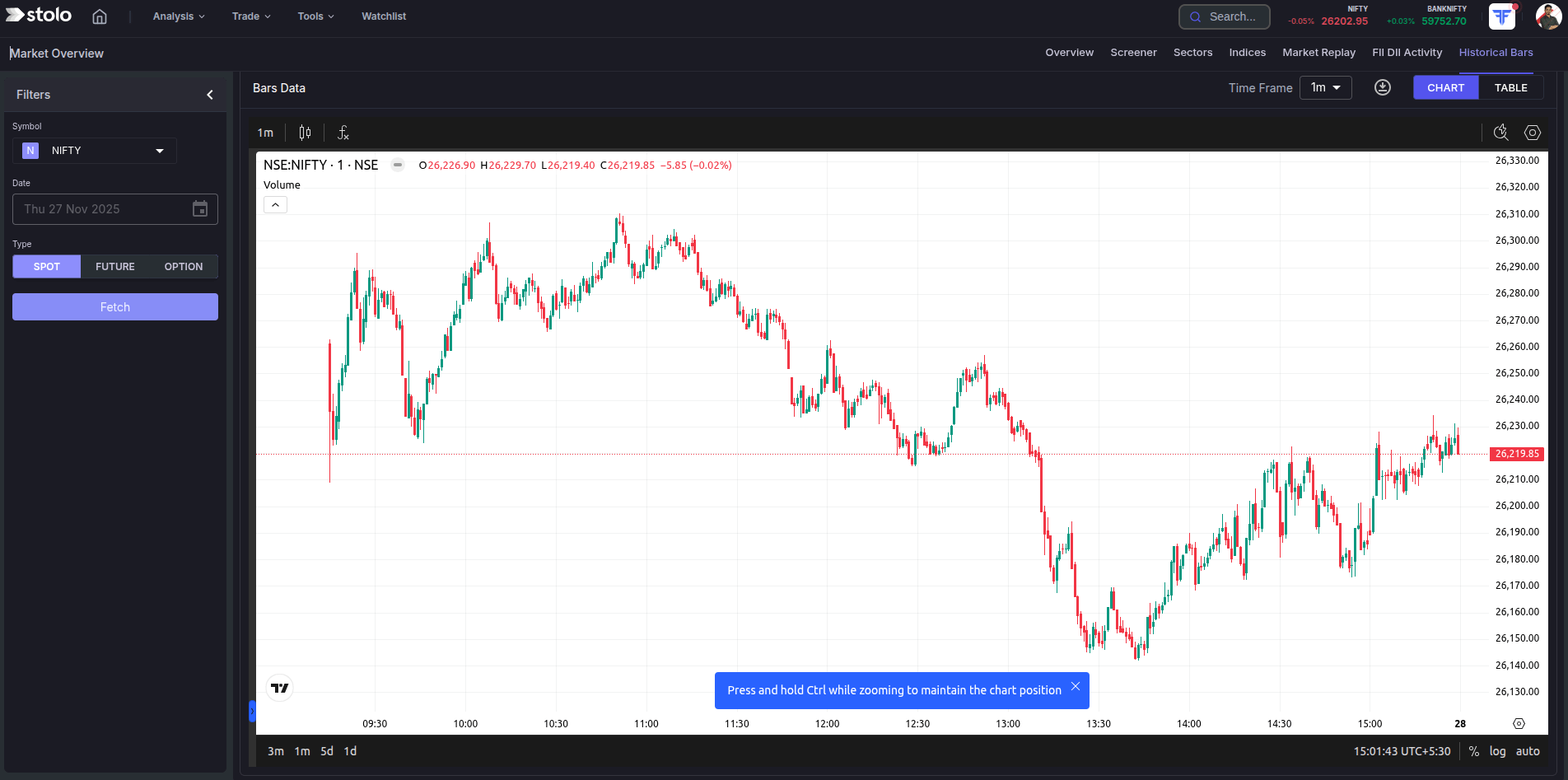
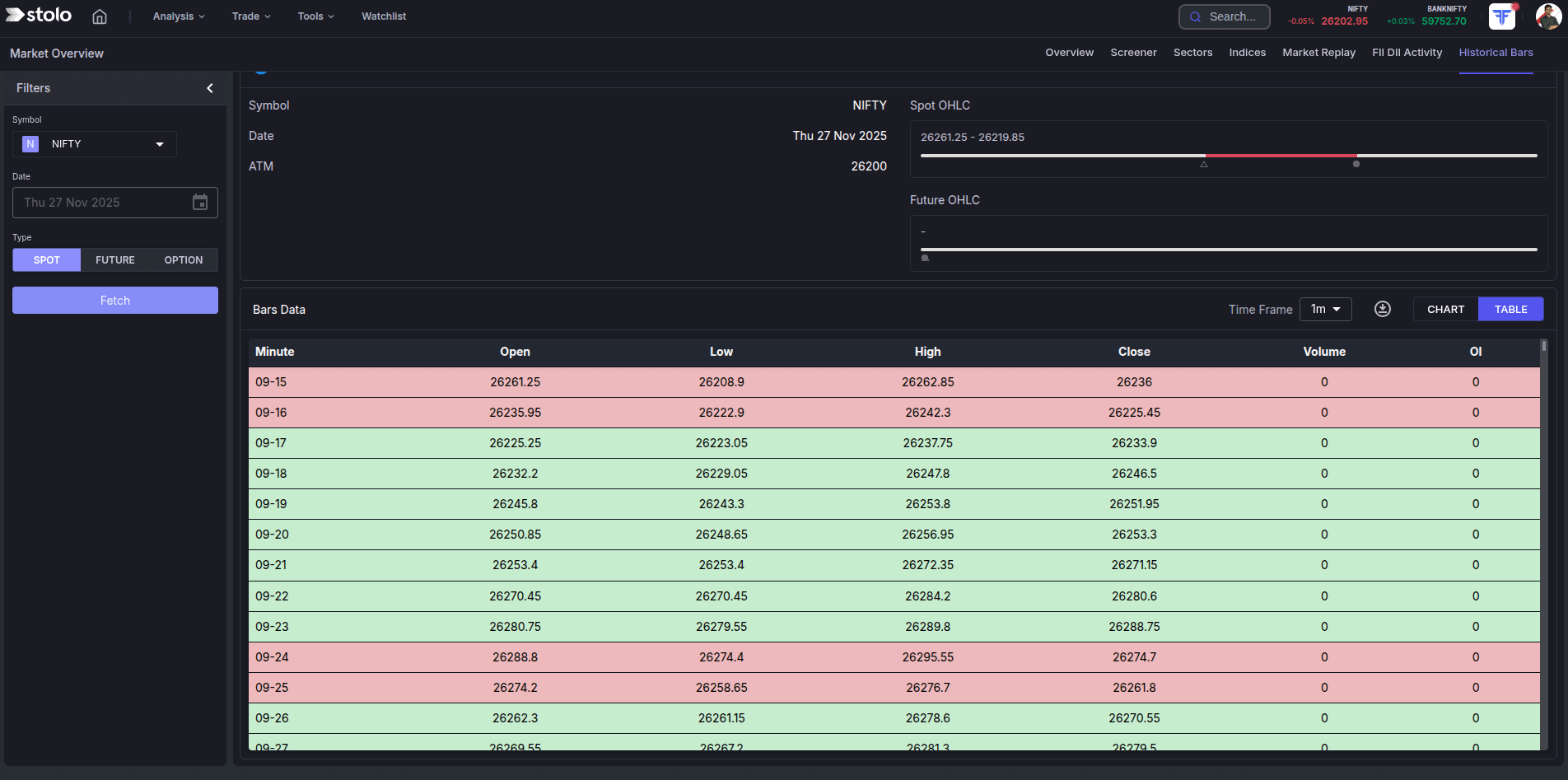
- Open Analysis, then Historical Bars under the Market Sentiment section.
- Choose the segment: spot, futures or options.
- Select the instrument and, for options, the expiry and strike.
- Pick the timeframe and the date range.
- Read the bars as a chart or a table.
- Export the table to run your own study.
For an option strategy study, always pull the strike that was at the money on each past date, not the same fixed strike, so the test matches how you would trade it live.
How traders use it
- Strategy testing. Export past option data and check a rule set day by day.
- Volatility calibration. See what the ATM straddle premium normally is for an instrument, so you know when it is rich.
- Event study. Pull the bars around past results or policy days to see the typical move.
- Chart verification. Cross-check a level or gap you remember against the actual data.
Frequently asked questions
What are historical bars?
Which instruments have historical bar data?
What timeframes can I get?
How far back does the data go?
Can I export the data?
Why not just use a broker chart for history?
How is this different from Market Replay?
Can I use this data with the Backtest tool?
Is intraday history available for every past date?
Which plan includes Historical Bars?
Get the data to test your setup
Open Stolo's Historical Bars for years of OHLC data on spot, futures and option strikes, ready to export.
Start with a Flexi Trial from ₹199