Market Replay: Rewind Any Trading Day
The best way to learn a setup is to watch it form. Market Replay in Stolo lets you pick a past session and play it back exactly as it happened, with price, open interest, PCR, IV and breadth all advancing on the same clock. Run it at 1x to study a moment closely or up to 10x for a fast recap.
Market Replay in Stolo
The problem it solves
When you review a day from its finished chart, you already know how it ended, so you cannot tell what was actually knowable at 10:30. Replay removes that hindsight. It shows the information in the order it arrived, which is the only way to practise spotting a setup before the move, not after.
The concept
- Setups are sequences. The OI wall builds, then PCR turns, then price breaks. The order is the signal.
- Hindsight hides the sequence. A completed chart collapses the whole day into one picture.
- Replaying restores it. You watch each piece of information land in real time.
- Repetition builds recognition. Replay ten similar sessions and the pattern becomes obvious in the eleventh, live.
Key terms explained
| Term | What it means |
|---|---|
| Replay speed | How fast the session plays: 1x is real time, up to 10x. |
| Scrub | Dragging the timeline to jump to a specific point in the session. |
| Playback clock | The single time axis all the data views advance on. |
| Decision point | A moment you pause at to study what the screen showed. |
A worked example
You want to understand a NIFTY breakout that ran hard last Tuesday. You load that date in Market Replay and play at 3x.
- 09:40: price is chopping in a 30-point range. Nothing obvious yet.
- 10:10: you pause. The OI view shows fresh call writing has moved up a strike and the old resistance strike is starting to unwind. PCR has ticked up.
- 10:25: price breaks the range and runs 90 points in 20 minutes.
Watching it forward, the tell was the OI shift at 10:10, fifteen minutes before the break. Next time you see that same shift live, you know what it often precedes.
How to use it in Stolo
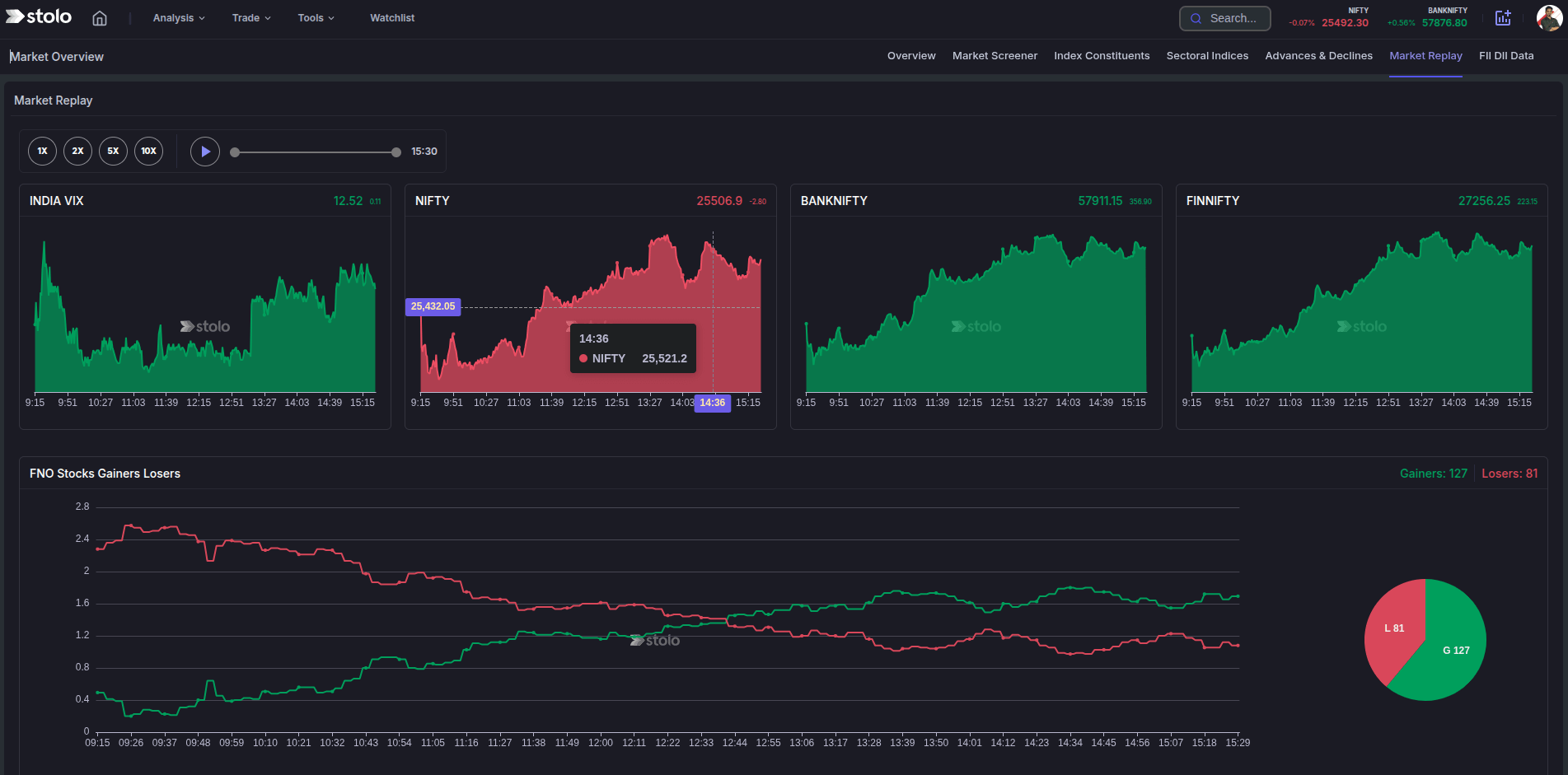
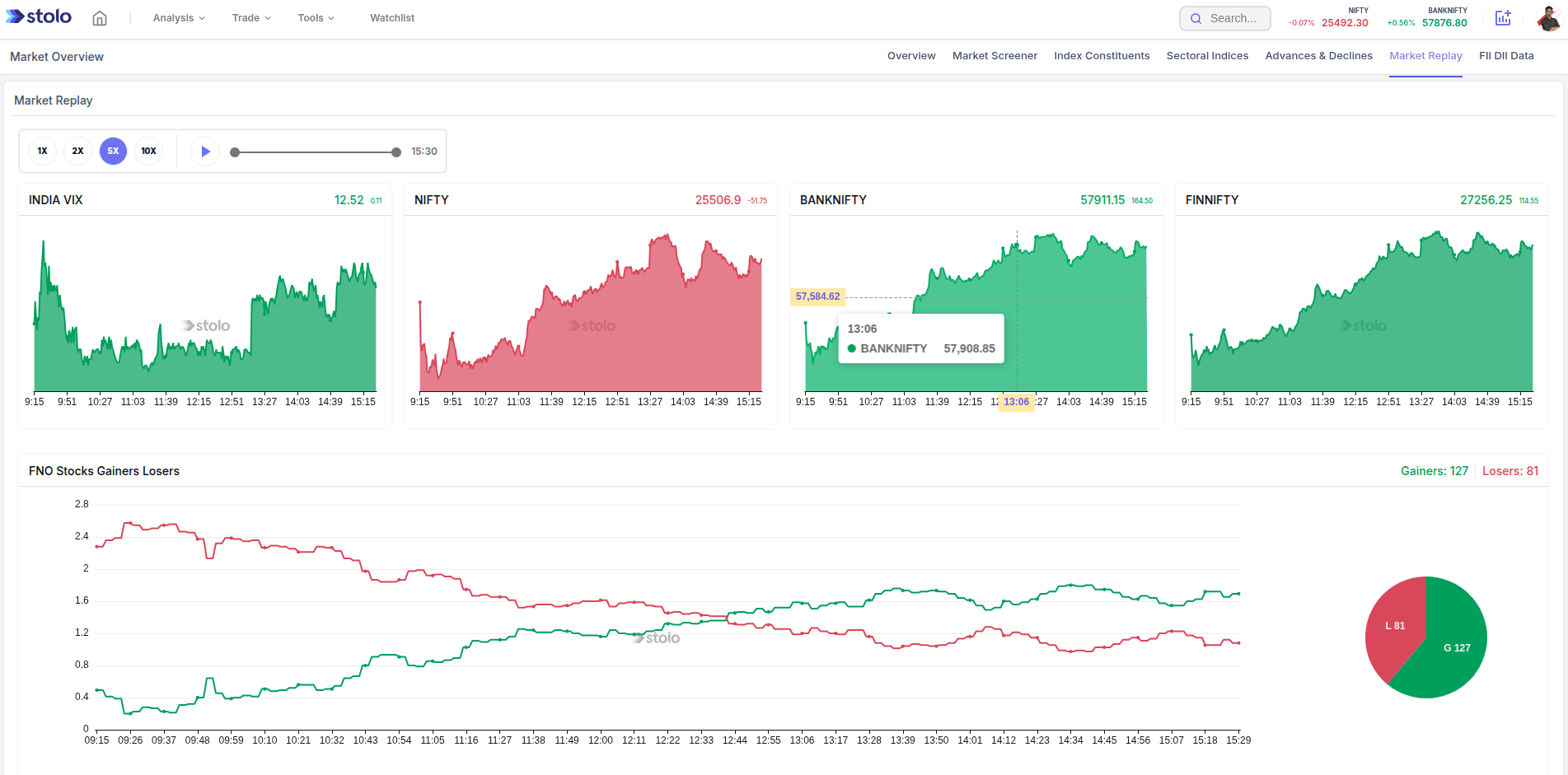
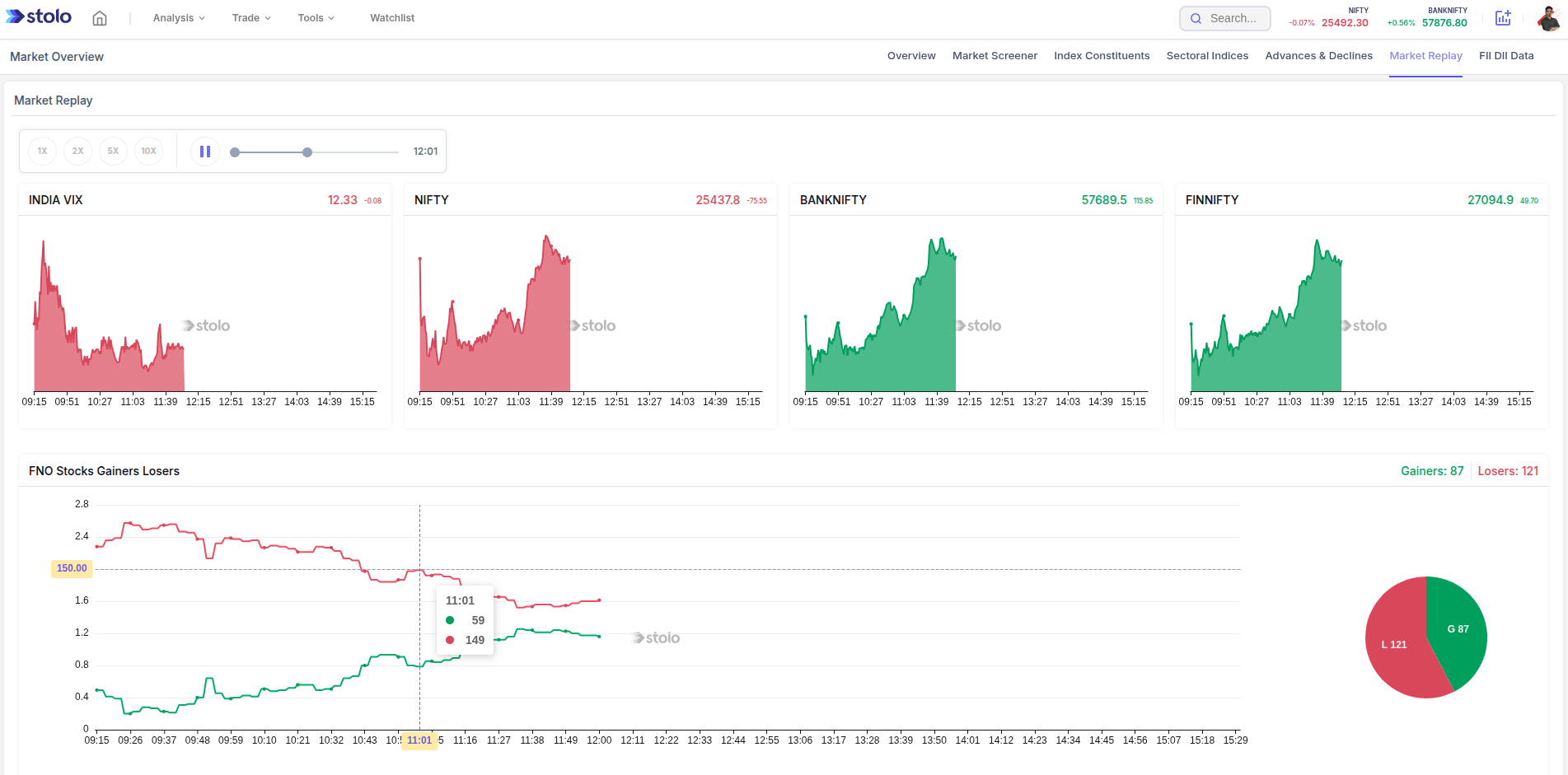
- Open Analysis, then Market Replay under the Market Sentiment section.
- Pick the date you want to review.
- Set the speed. Start at 2x to 4x.
- Play and watch price, OI, PCR and breadth move together.
- Pause at each decision point and study the full state of the market at that moment.
- Scrub back to re-watch a sequence, and replay several similar sessions to build the pattern.
Before a known event, replay the last two or three occurrences of it. Seeing how OI and IV behaved into the previous RBI policies or Budget days prepares you for the next one.
How traders use it
- Pattern building. Replay many instances of a setup to learn its early tells.
- Trade review. Rewatch a losing trade to see what the screen was actually showing at your entry.
- Event prep. Replay past expiries or policy days before the next one.
- Teaching. Walk a newer trader through a session moment by moment.
Frequently asked questions
What is Market Replay in Stolo?
Why replay a day instead of just looking at the chart?
How far back can I replay?
What speeds can I play at?
Can I pause and step through the replay?
Does Market Replay let me place practice trades?
Which data replays alongside price?
How is this different from the history mode on analysis pages?
Who gets the most out of Market Replay?
Which plan includes Market Replay?
Watch the setup form, not just the result
Open Stolo's Market Replay to play any past trading day forward at 1x to 10x and study how the session developed.
Start with a Flexi Trial from ₹199