Options Overview: Chain, OI, PCR and Max Pain in One View
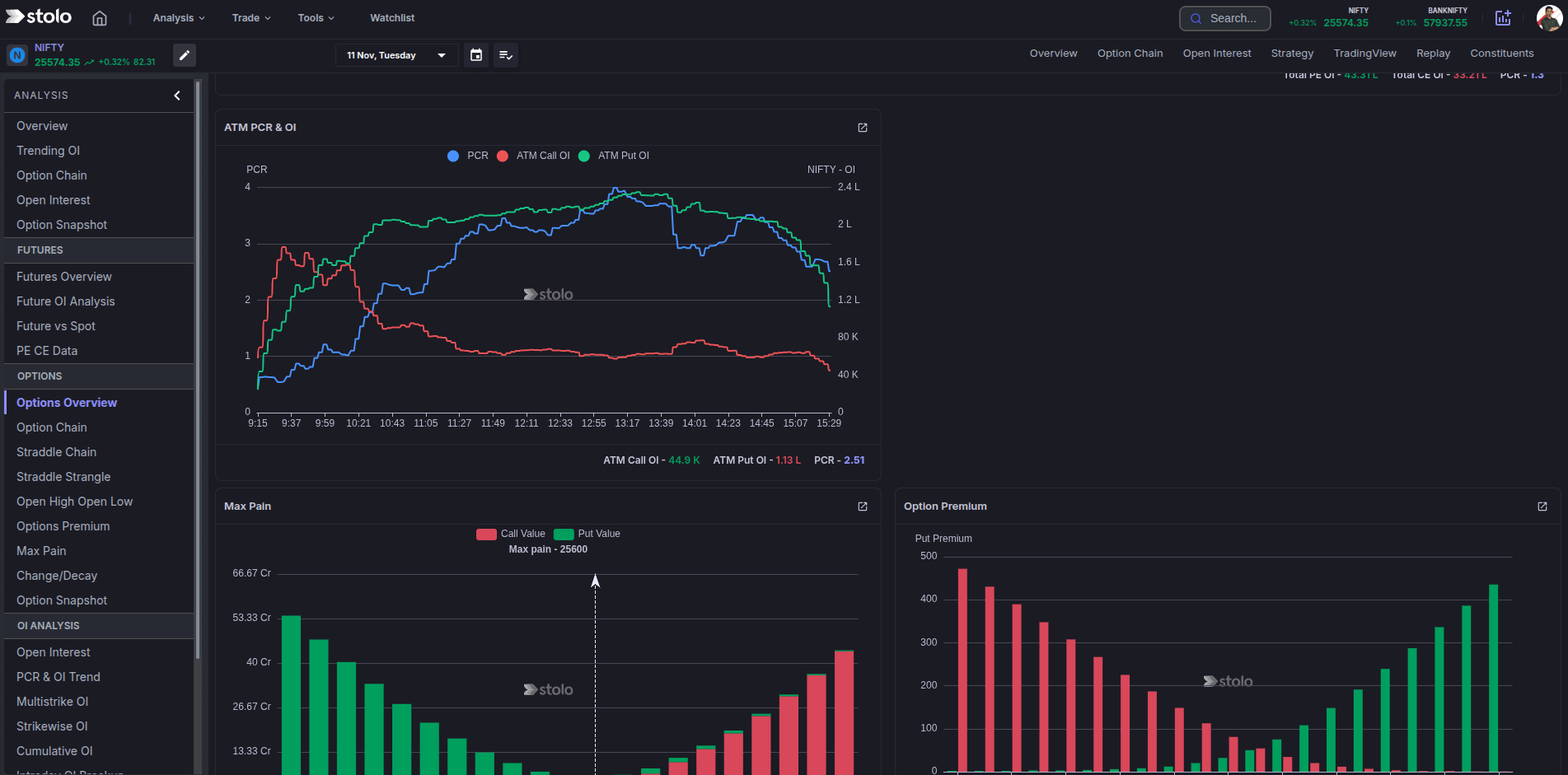
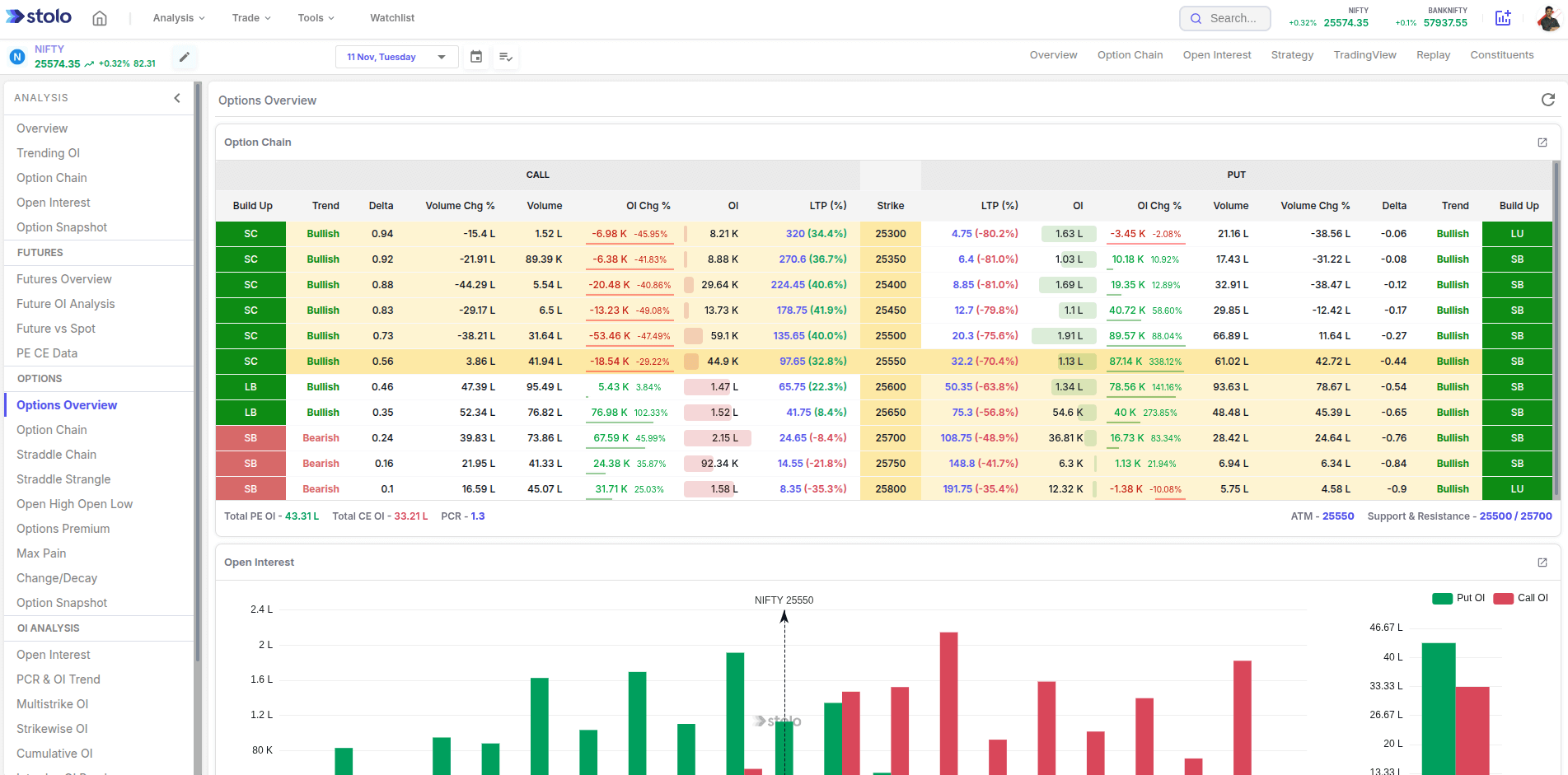
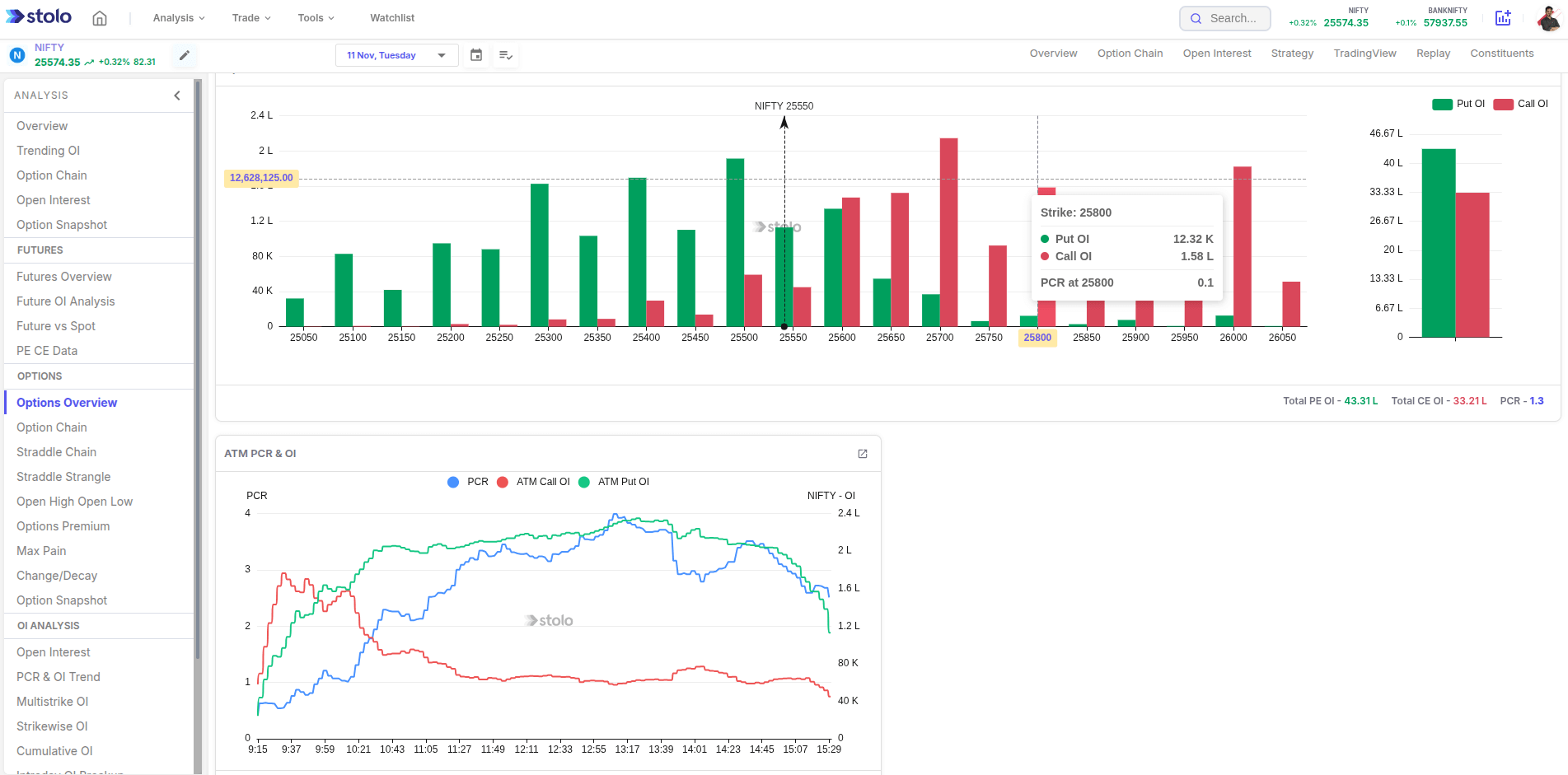
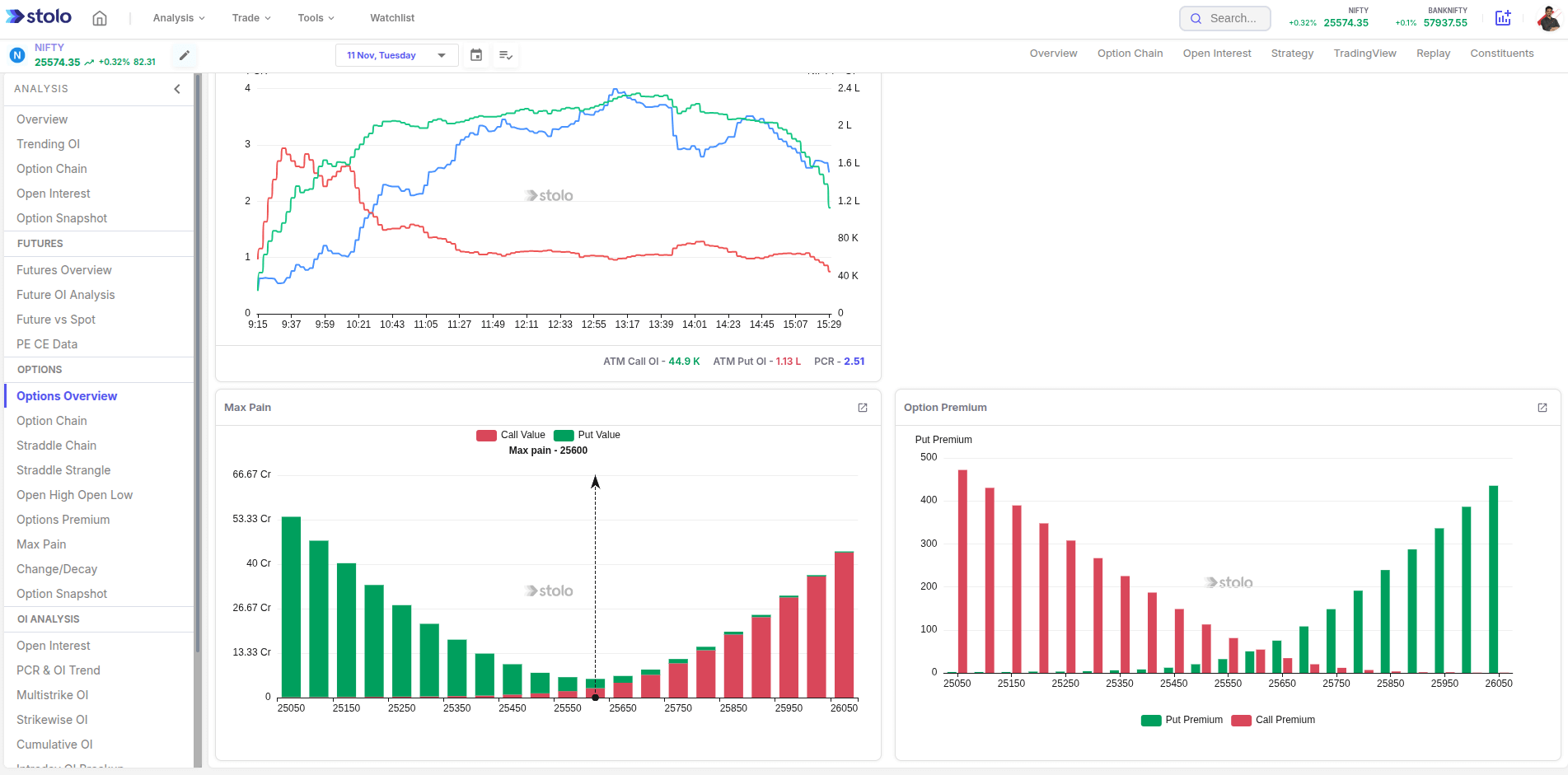
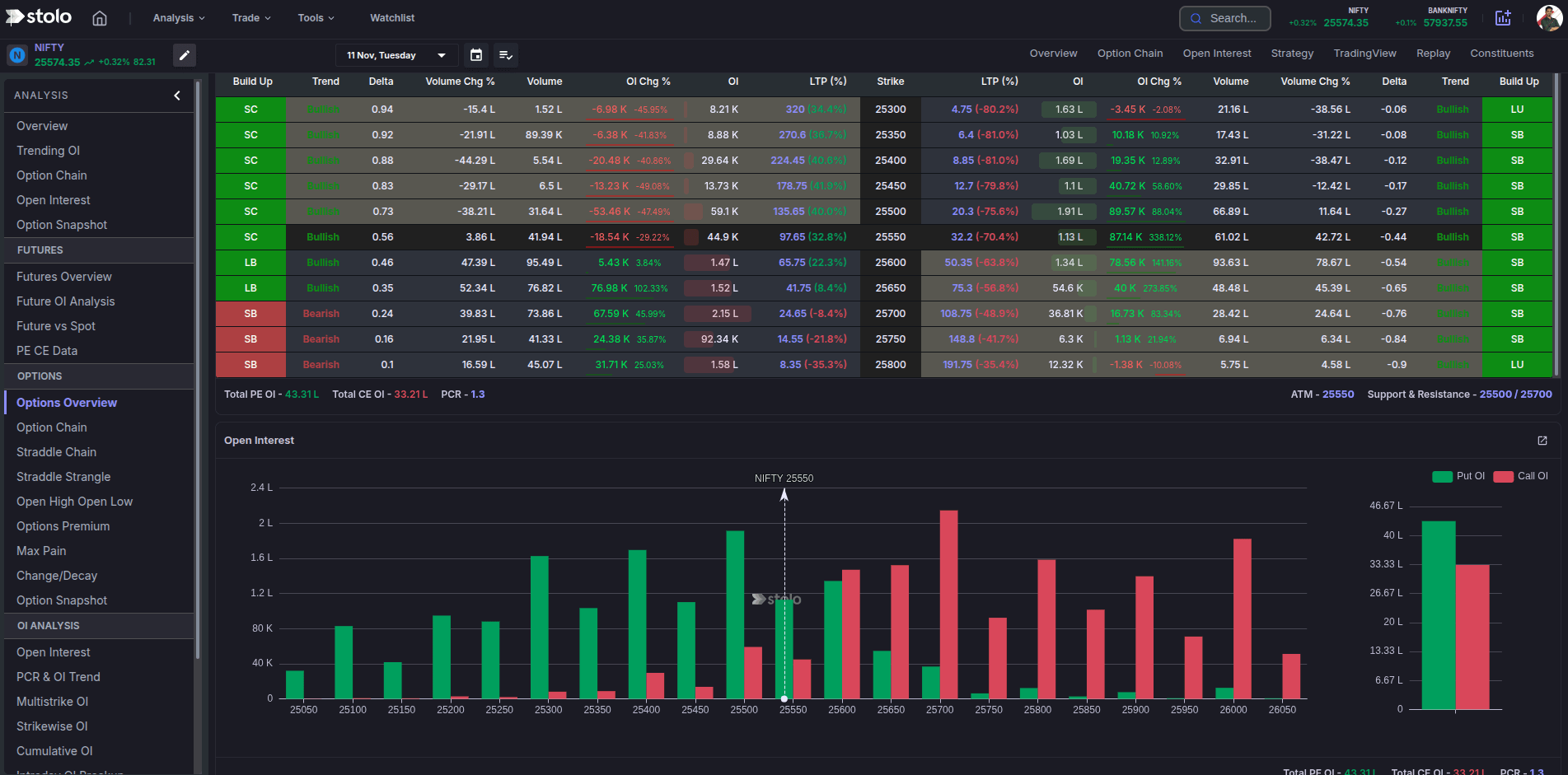
The Options Overview in Stolo is a single screen that stacks the option chain, open interest, PCR, max pain and the option premium chart for one instrument. Instead of clicking through five separate pages to read how the options market is positioned, you get the whole picture on one customizable board and drill into any panel when it matters.
The problem it solves
Forming an options view means checking several things in sequence: is PCR high or low, where is max pain, which strikes carry the OI, which way is it moving, how fast is premium decaying. Doing that across five pages is slow, especially when you are scanning a shortlist. The Options Overview puts the five together so the first pass takes seconds.
What is on the board
| Panel | What it tells you |
|---|---|
| Option chain | Live premium, IV, OI and change in OI for every strike around the money. |
| Open interest | OI and change in OI by strike, with buildup labels. |
| PCR vs index | Put-call ratio plotted against price through the session. |
| Max pain | The strike where option writers lose least, a magnet into expiry. |
| Option premium | Call and put premiums across the strikes, showing where options are rich or cheap. |
The board is customizable: add more options and OI widgets, drag to reorder, resize, and reset to this default.
Key terms explained
| Term | What it means |
|---|---|
| PCR | Put-call ratio: total put OI divided by total call OI. |
| Max pain | The strike at which the combined value of open options is lowest. |
| Change in OI | How open interest moved over the chosen interval. |
| ATM | At the money: the strike nearest the current price. |
| Buildup | Price move plus OI move: long buildup, short buildup, unwinding, covering. |
| Panel | One analysis widget on the overview board. |
A worked example
You open NIFTY's Options Overview an hour before weekly expiry.
- PCR vs index: PCR at 1.4 and drifting up as price holds, supportive.
- Max pain: 22,000, and price is at 22,040.
- Option chain: 22,100 CE and 22,000 PE carry the heaviest OI.
- Open interest: 22,100 CE showing fresh short buildup, 22,000 PE stable.
- Option premium: the premium curve shows a steep put skew, so downside protection is expensive.
The read in under a minute: writers are set up for an expiry close near 22,000, with 22,100 defended above. A short strangle around 22,000 to 22,100 fits. You click the OI panel through to the full Open Interest page to confirm the call writing is not unwinding before you place it.
How to use it in Stolo
- Log in to Stolo and open an F&O instrument from Analysis, then open Options Overview.
- Read PCR and max pain first for the frame.
- Scan the option chain for premiums and IV around the money.
- Check open interest for which strikes are being built or unwound.
- Check the premium chart for the skew and any strike trading rich or cheap.
- Click any panel to open its full page, and use customize to keep the widgets you always want.
The Options Overview is for research. Stolo does not auto-trade. Form your view here, then place the order through the option chain, a trade terminal or your connected broker.
How traders use it
- Shortlist triage. Open each candidate, glance at the five panels, keep or drop.
- Pre-expiry check. PCR, max pain and the OI walls together tell you the likely pin.
- Skew check. Read the premium curve to see how expensive downside protection is before hedging.
- Fast context before a directional trade. Confirm the options market is not positioned hard against your idea.
Live mode and history mode
The board streams live during market hours with a header refresh. Panels that support a historical date, such as the option chain and open interest, can be taken back in time from their own full pages.
Frequently asked questions
What is the Options Overview page in Stolo?
What is shown on the Options Overview by default?
Can I customize which panels appear?
Which instruments have an Options Overview?
How is this different from the Instrument Overview page?
Does the Options Overview update live?
Can I open a panel full size from the overview?
What order should I read the panels in?
Is my board layout saved across devices?
What plan do I need for the Options Overview?
Read the options market on one screen
Open Stolo's Options Overview for the chain, OI, PCR, max pain and premium of any F&O instrument together.
Start with a Flexi Trial from ₹199